

Evolution3 FreeHand User Guide – Make your first cut
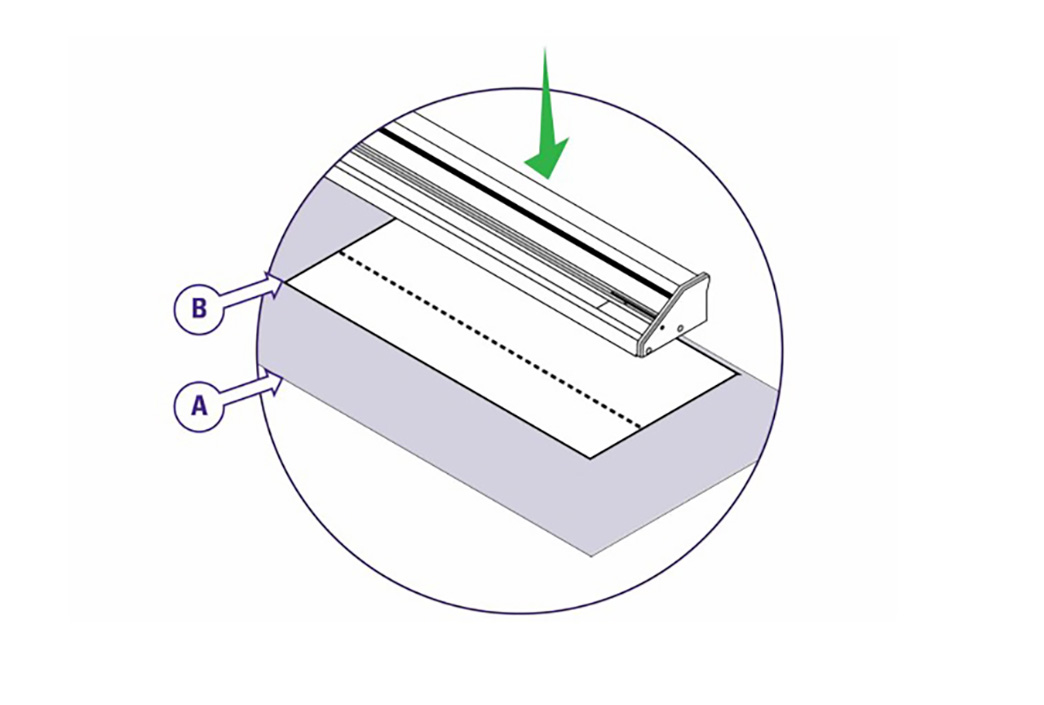
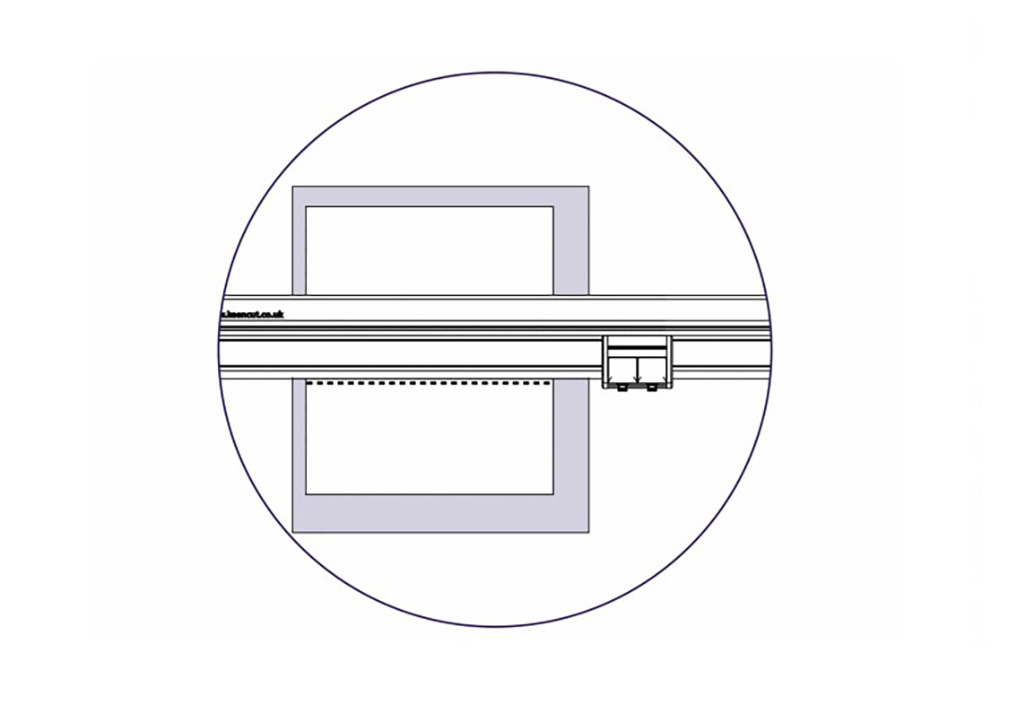
Lift and move one end of the cutter so the sightline strip (clear plastic strip running along cutting edge of the FreeHand) aligns with the cut line, then repeat at the other end. Look down vertically and check the sightline strip aligns with the cut line before making the cut.
Further cutting information is given in the sections under relevant tool heads.
See Double Graphik cutting techniques >
See the Fabric tool head cutting techniques >
See the Creaser tool head creasing techniques >
See the Rocker tool head cutting techniques >
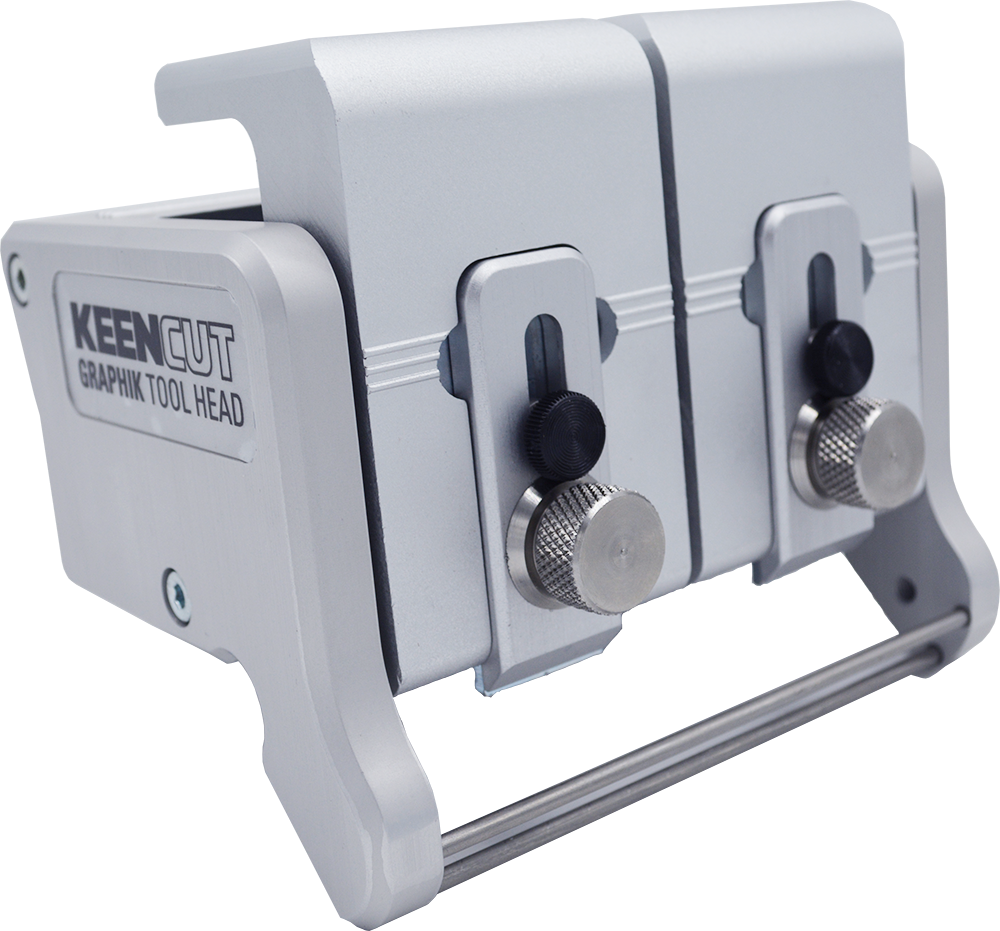
QuikSwap Graphik tool head for Evolution3 cutters, with two individual blade holders for two way cutting. Graphik blades are stronger and more stable than regular blades. Ideal for vinyl, banner, cardboard, PVC foamboard up to 13mm (½″), foam-centred board, corrugated plastic, paper, pop-up and roll-up materials.
This head is supplied as standard with all Evolution3 cutters.
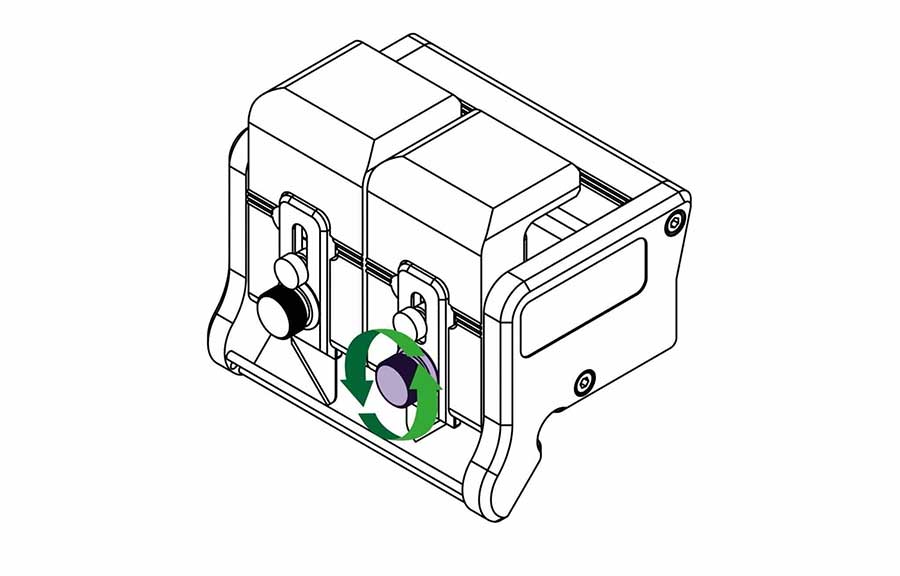
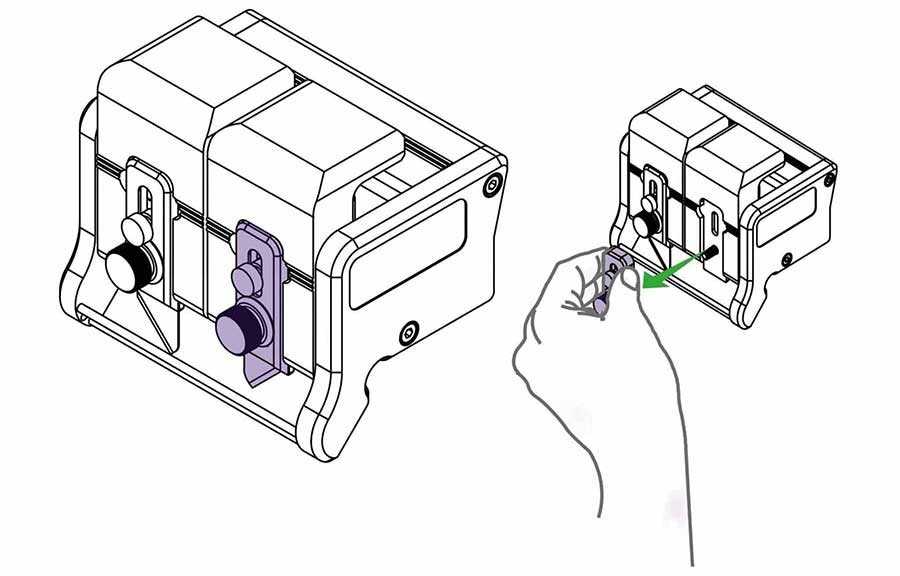
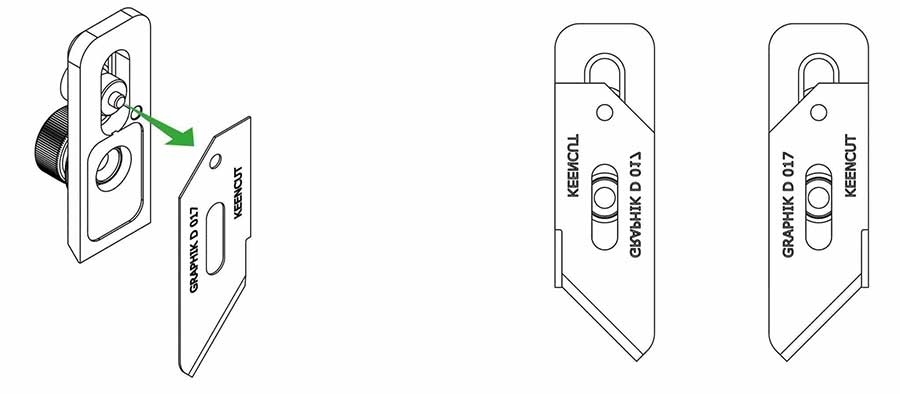
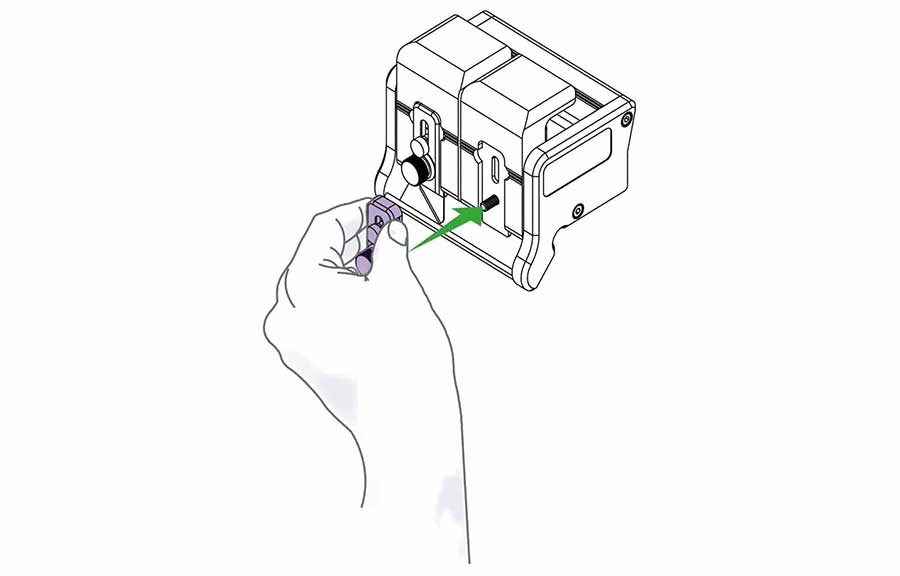
Replace the blade clamping plate onto the blade holder but do not tighten fully until the blade depth has been set (see how to adjust the blade depth >).
Repeat on the other blade holder if required.
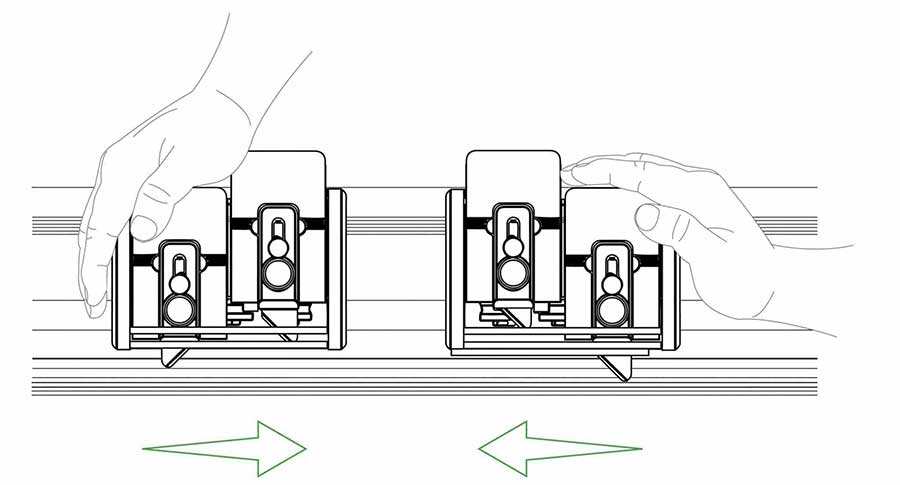
The cutting head can be pulled or pushed to cut the material. Load and align the material to be cut as described in the ‘clamping material’ section (see how to align and clamp the material >), press down the chosen blade holder whilst pushing/pulling the cutting head along the cutter bar.
Tip: Only finger pressure is needed to hold the blade holder down, if after making the cut the blade holder has risen and the blade not cut through simply cut again. This could be an indication the material should be cut in two strokes using the dual blade depth setting as explained above.
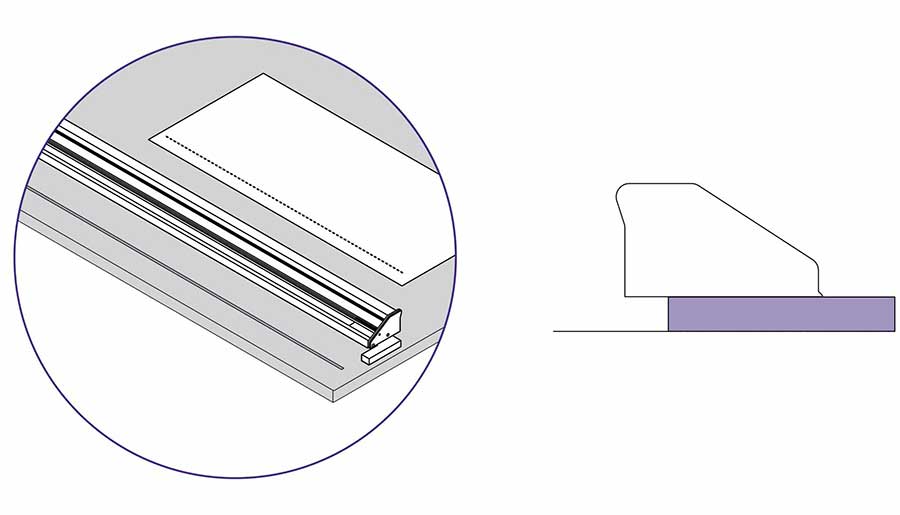
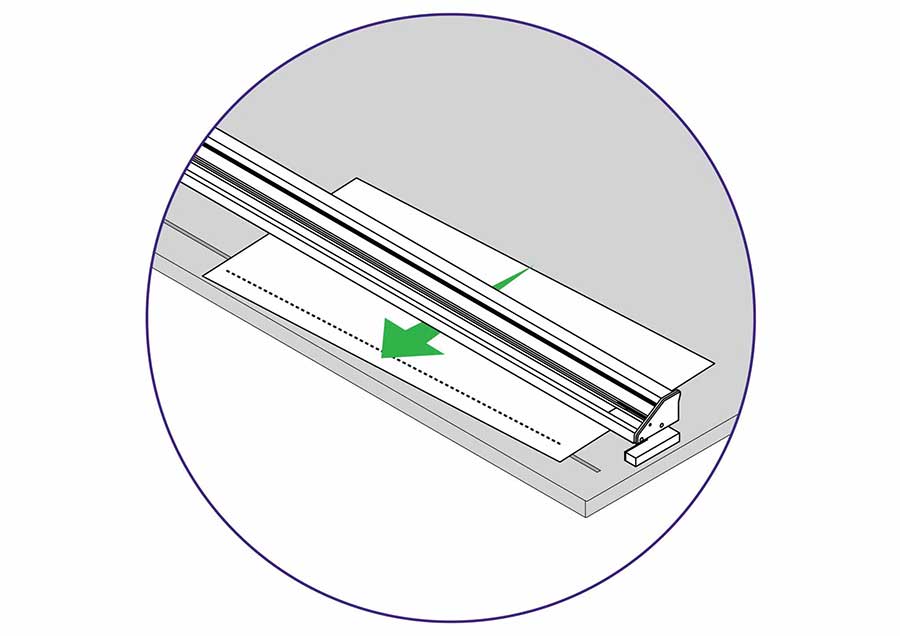
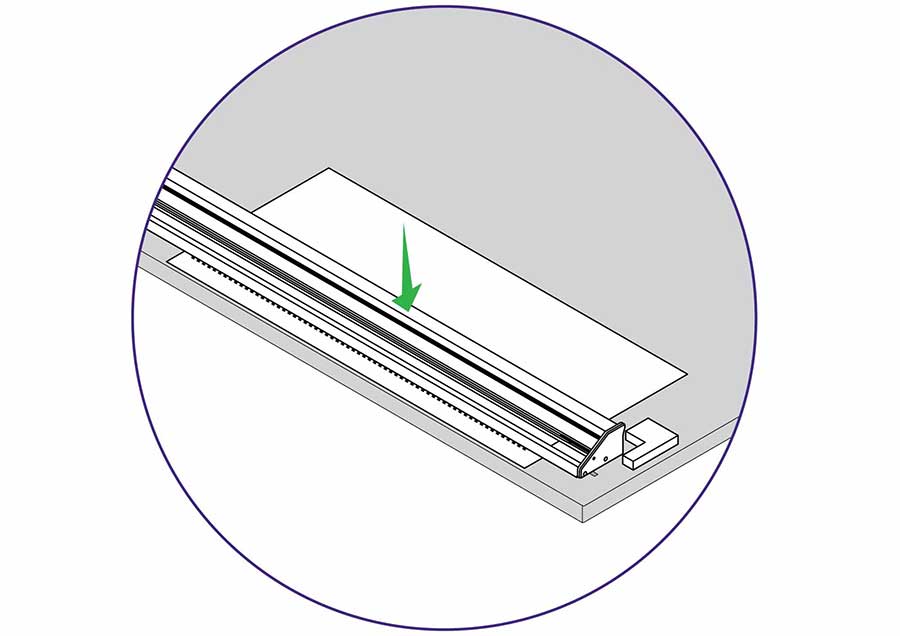
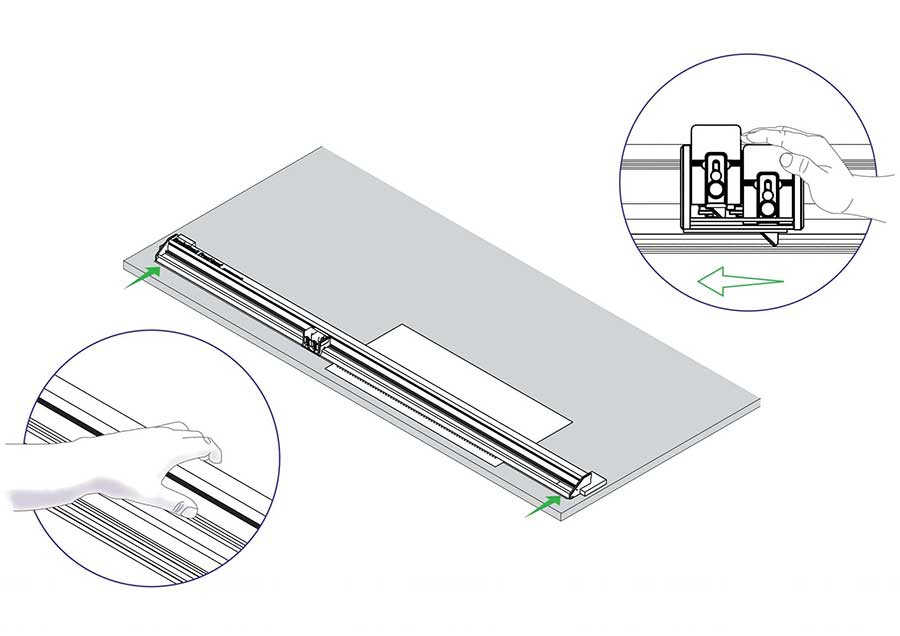
Lift and move one end of the cutter so the sightline strip (clear plastic strip running along cutting edge of the FreeHand) aligns with the cut line, then repeat at the other end. Look down vertically and check the sightline strip aligns with the cut line before making the cut.
Further cutting information is given in the sections under relevant tool heads.
See Double Graphik cutting techniques >
See the Fabric tool head cutting techniques >
See the Creaser tool head creasing techniques >
See the Rocker tool head cutting techniques >
QuikSwap Graphik tool head for Evolution3 cutters, with two individual blade holders for two way cutting. Graphik blades are stronger and more stable than regular blades. Ideal for vinyl, banner, cardboard, PVC foamboard up to 13mm (½″), foam-centred board, corrugated plastic, paper, pop-up and roll-up materials.
This head is supplied as standard with all Evolution3 cutters.
Replace the blade clamping plate onto the blade holder but do not tighten fully until the blade depth has been set (see how to adjust the blade depth >).
Repeat on the other blade holder if required.
The cutting head can be pulled or pushed to cut the material. Load and align the material to be cut as described in the ‘clamping material’ section (see how to align and clamp the material >), press down the chosen blade holder whilst pushing/pulling the cutting head along the cutter bar.
Tip: Only finger pressure is needed to hold the blade holder down, if after making the cut the blade holder has risen and the blade not cut through simply cut again. This could be an indication the material should be cut in two strokes using the dual blade depth setting as explained above.

Ⓒ Keencut 2020 | Baird Rd, Corby NN17 5ZA United Kingdom | Contact us
Created by DeType | Privacy | Website Disclaimer | Terms & Conditions


