

Excalibur 3S user guide – Get to know your cutter
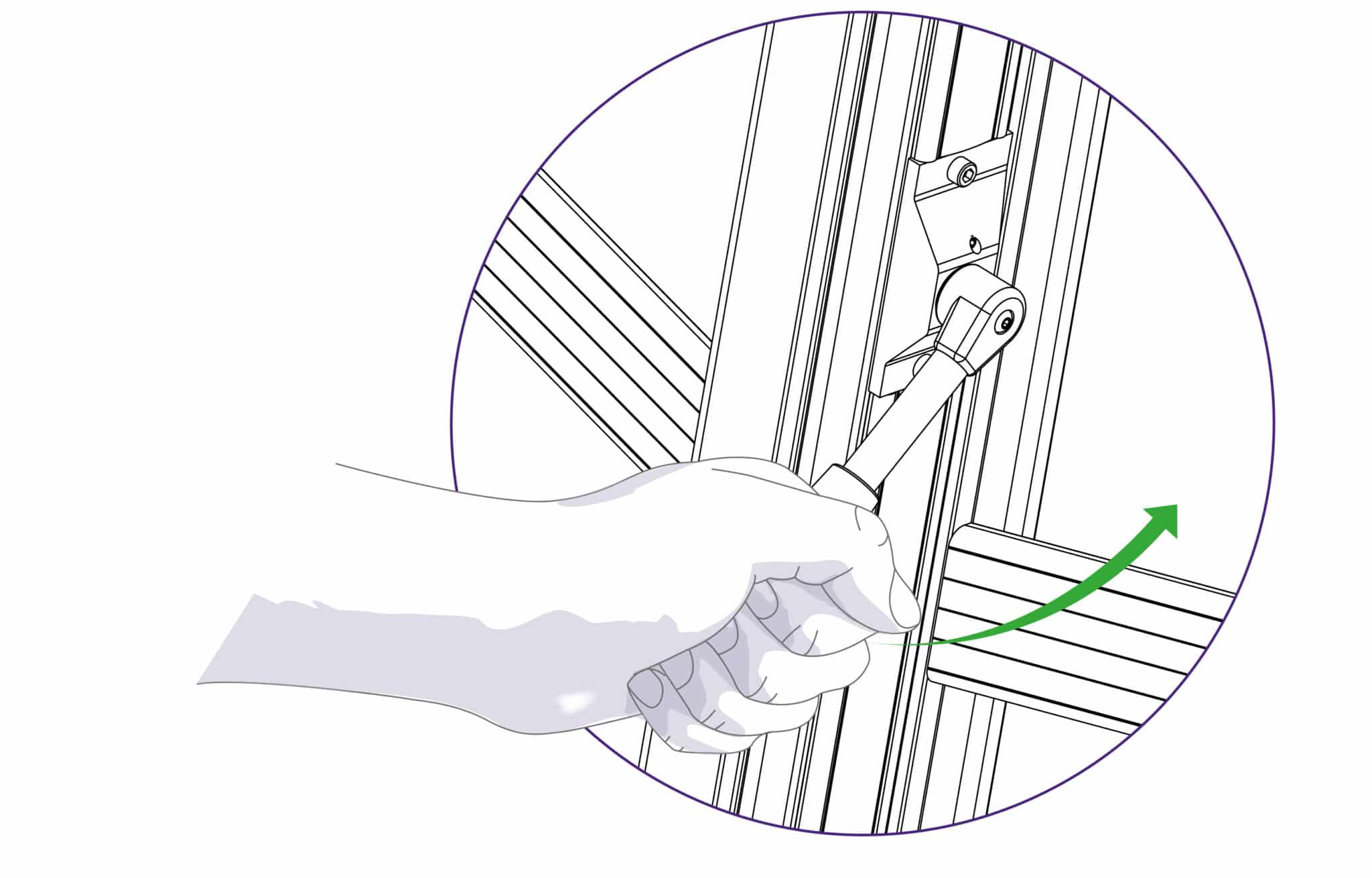
The clamping system enables the operator to control the grip pressure by means of an integral friction brake, that maintains the clamping force at the pressure applied by the operating lever. Soft materials can be held firmly without sustaining damage and solid materials are held rigidly without movement. By following the guidelines below it will help you to get the most from the machine.
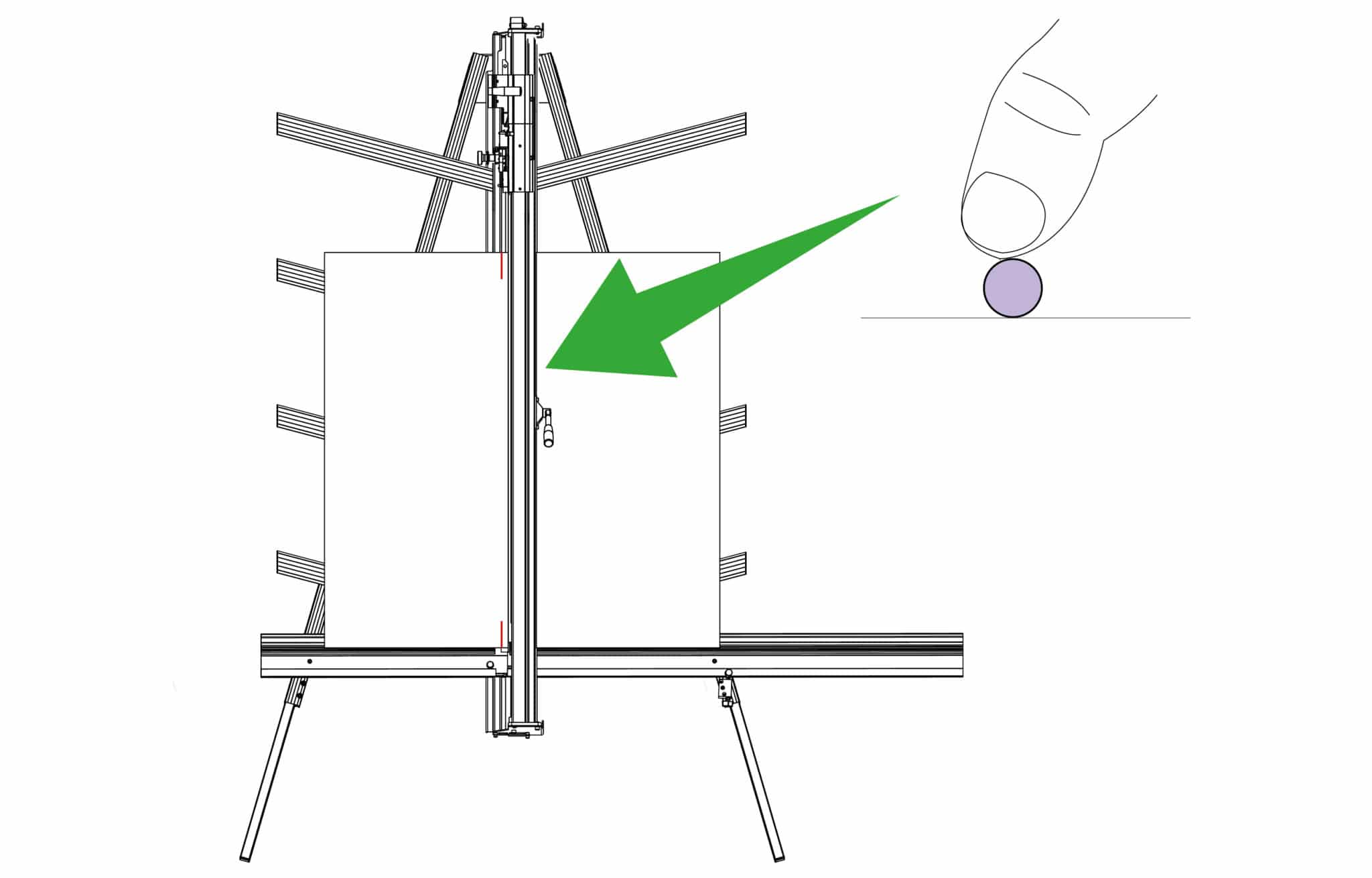
Soft materials such as Foamcore boards, lightweight card, etc. Use light to medium pressure. The underside of the clamp grips an area nearly 4cm (11/2”) wide with a non-marking sponge rubber
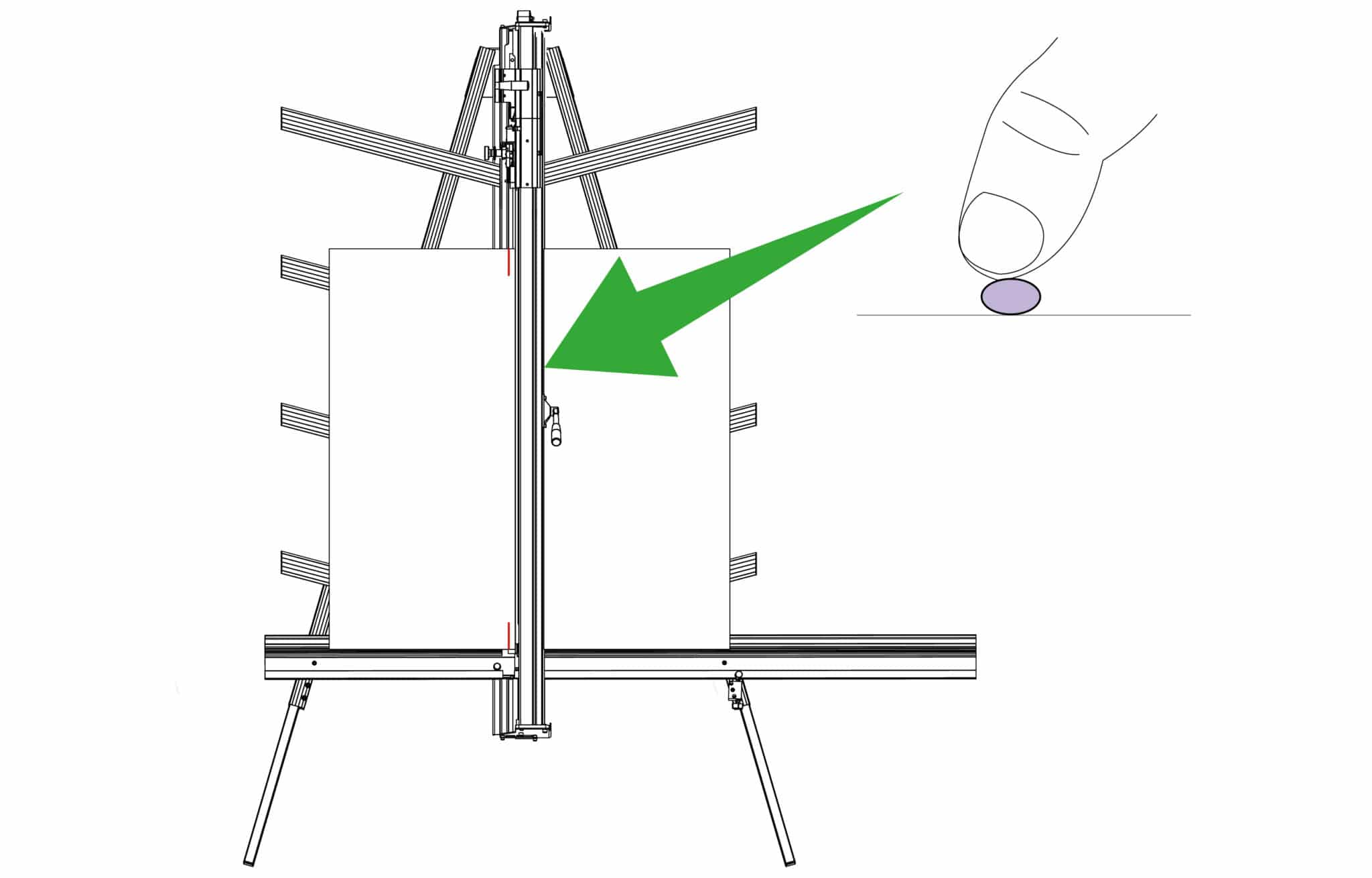
and reasonable force can be applied. If in doubt clamp a sample first with the good surface facing outwards.
 |
Do this gently |
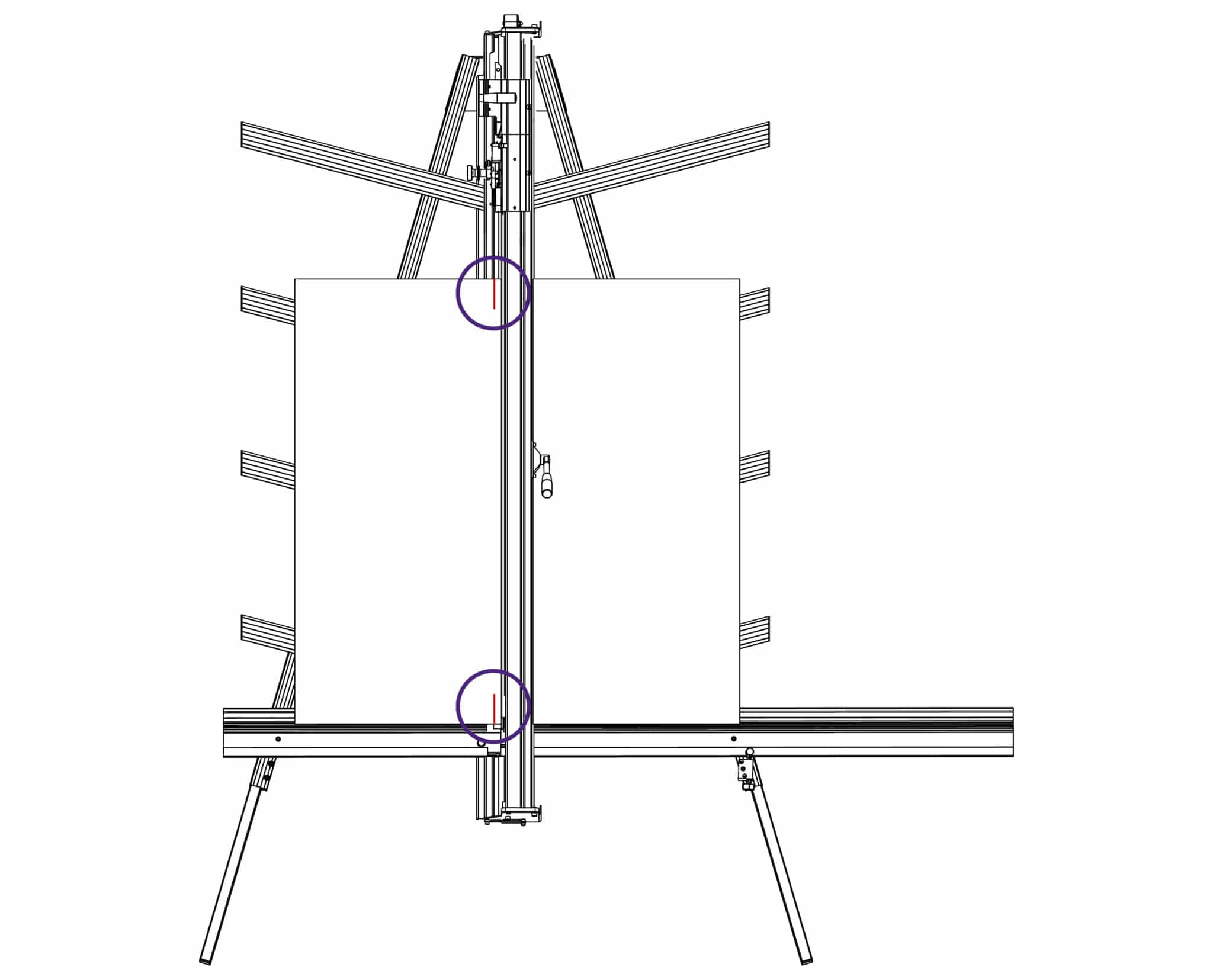
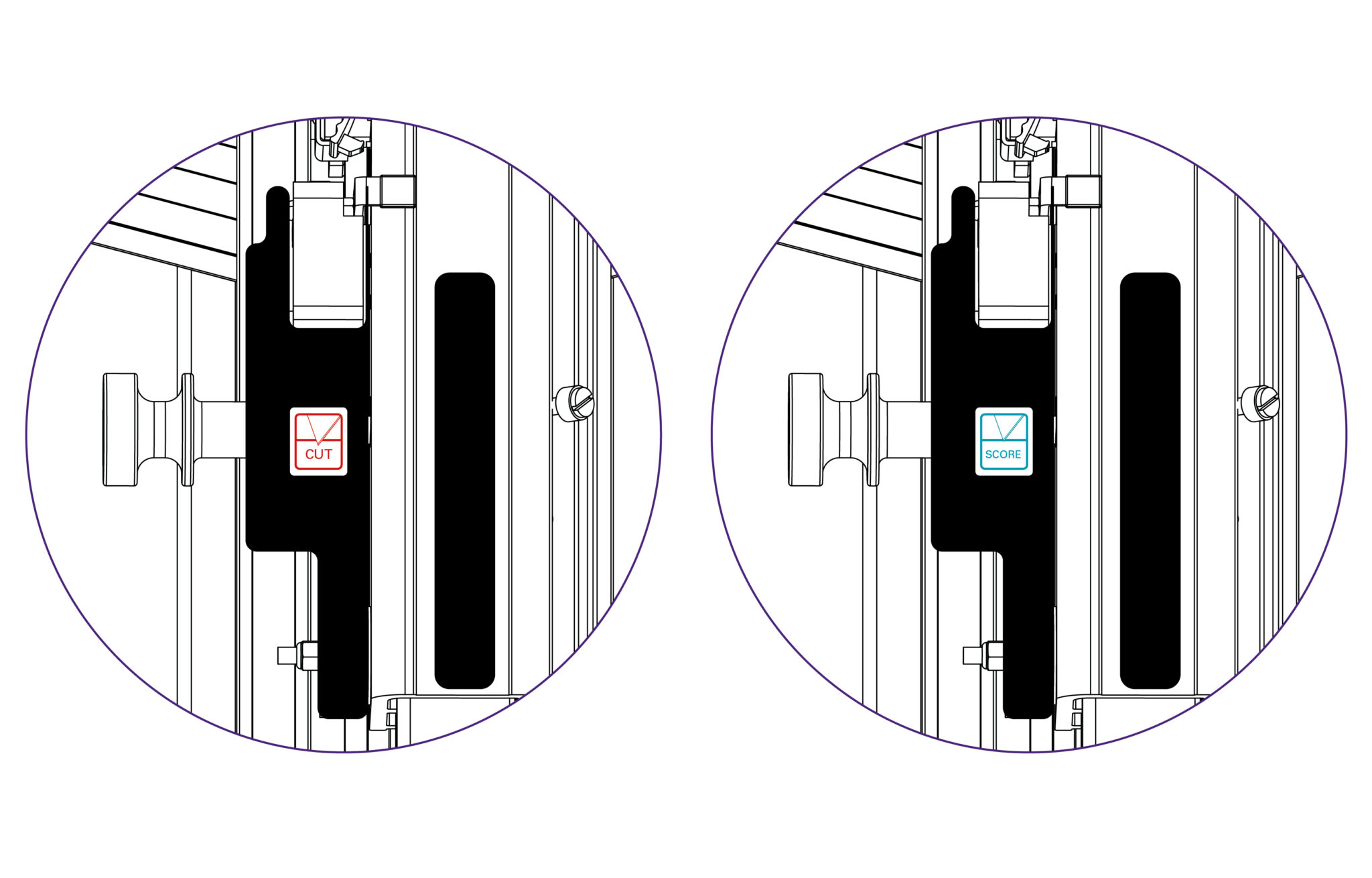
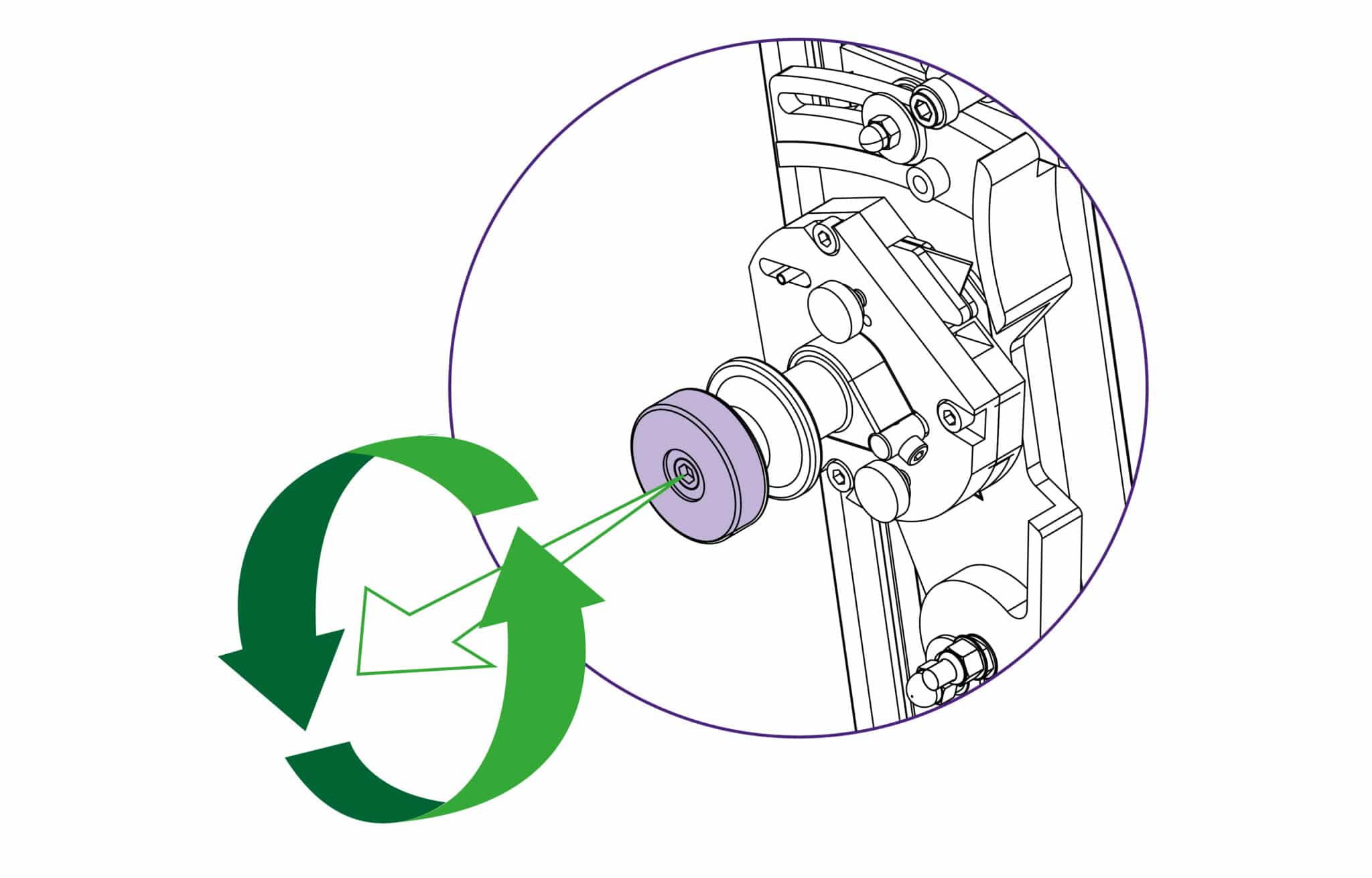
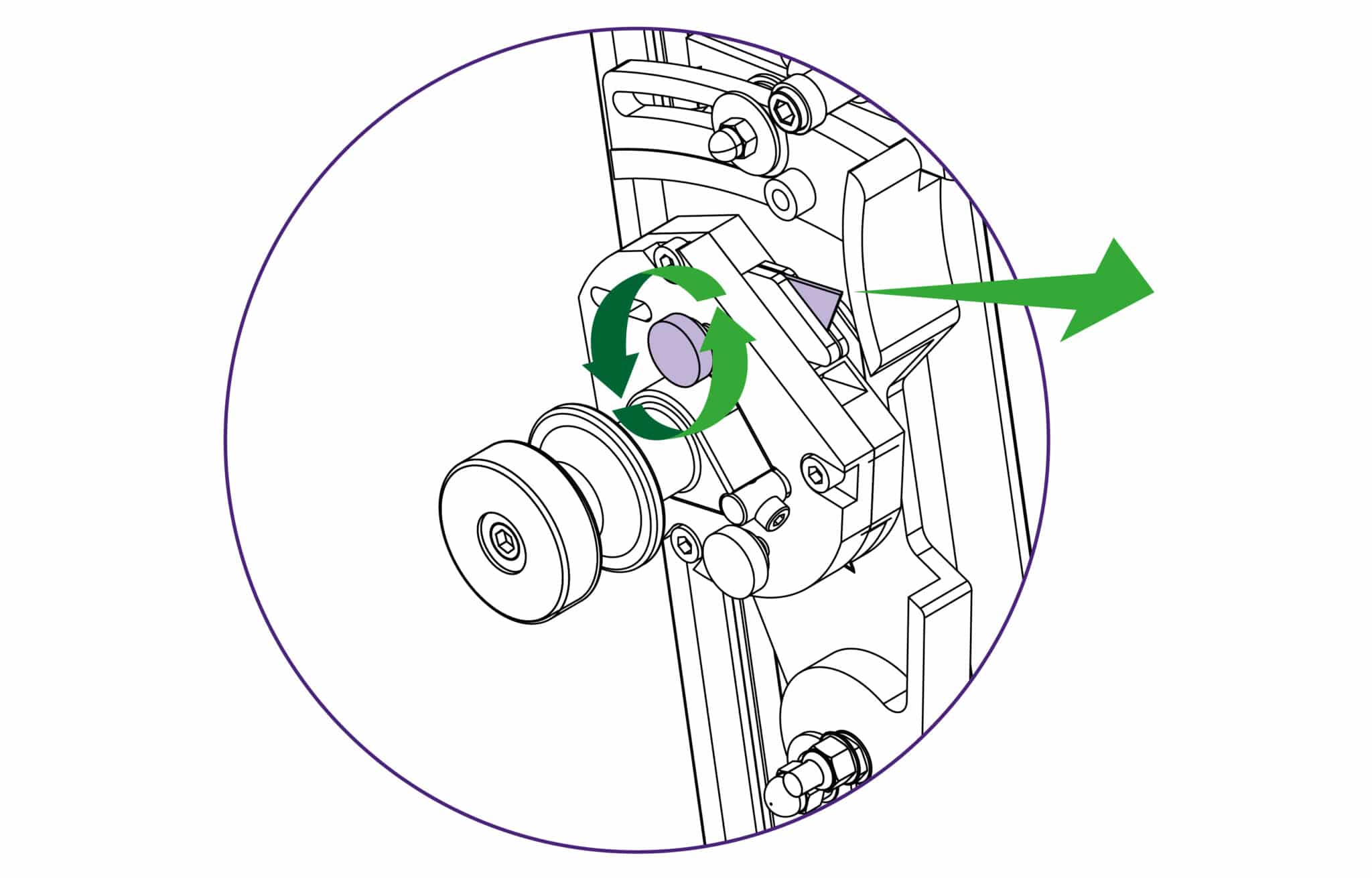
The Excalibur 3S is fitted with two sliding carriages running on a vertical slideway and each carriage is fitted with a cutting head. The top carriage is fitted with a twin wheel cutter for use with rigid boards such as aluminium composite panels, MDF, hardboards. Refer to Changing the twin wheel cutter > or Using the twin wheel cutter > for more details. The lower or multi-tool cutter head has a rotating turret arrangement where either of the two cutting tools can be selected (the cutting blade or the scoring blade).
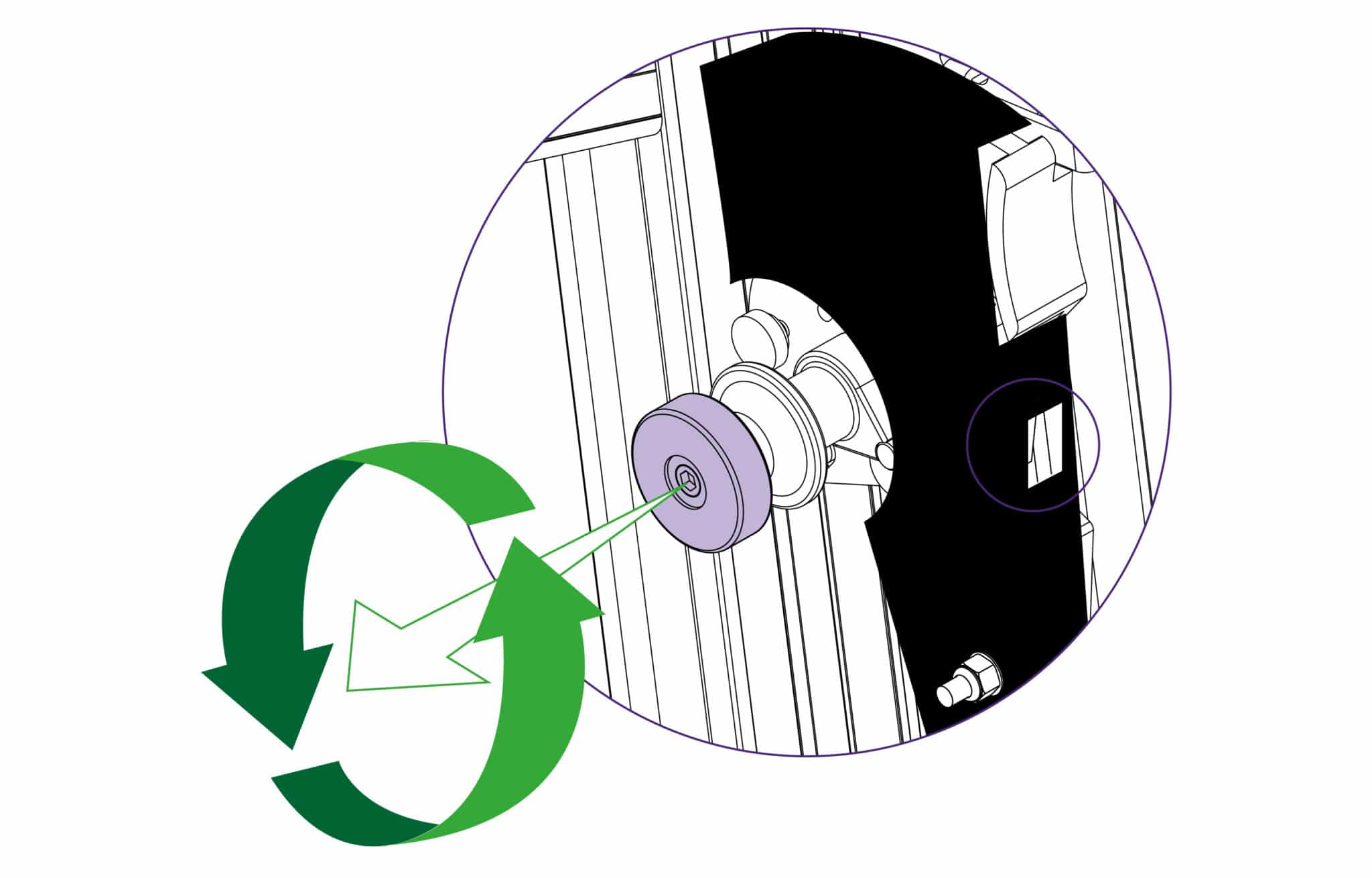
To select a different cutter pull the turret handle out to the left about 6mm (1/4”) and rotate in either direction, the turret will click into the correct position for the cutter indicated. Please note that there are three positions on the turret but only two positions are used on this version of the Excalibur.
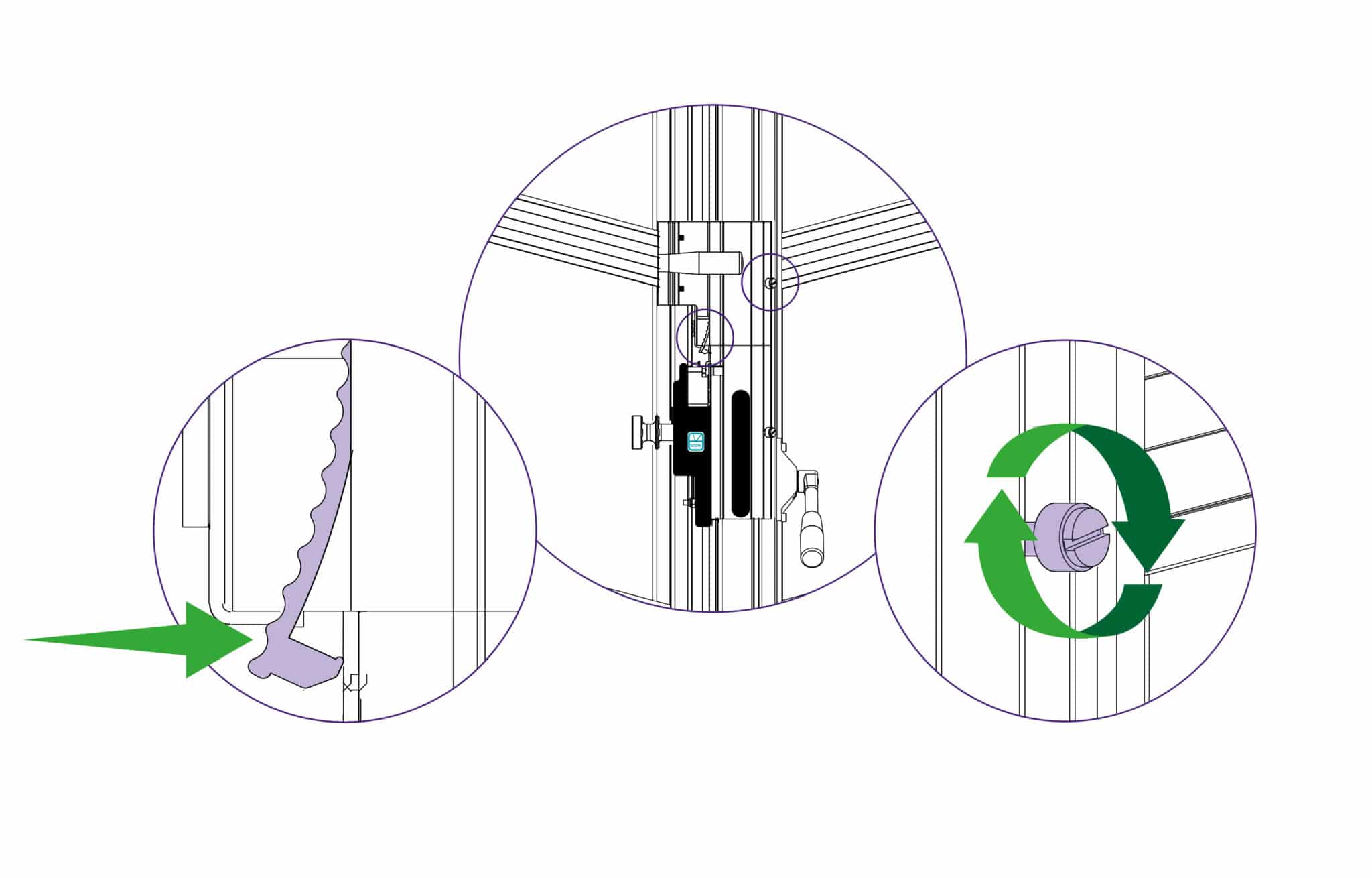
The counterbalance can be attached to either cutting head for easy, fatigue free working. it is normally attached to the twin wheel cutter but to attach it to the multi-cutter head, lock the twin wheel carriage in place using the white plastic thumb screw. Raise the multi-cutter to engage the counterbalance rocker, press the lower head of the rocker to connect it to the carriage.
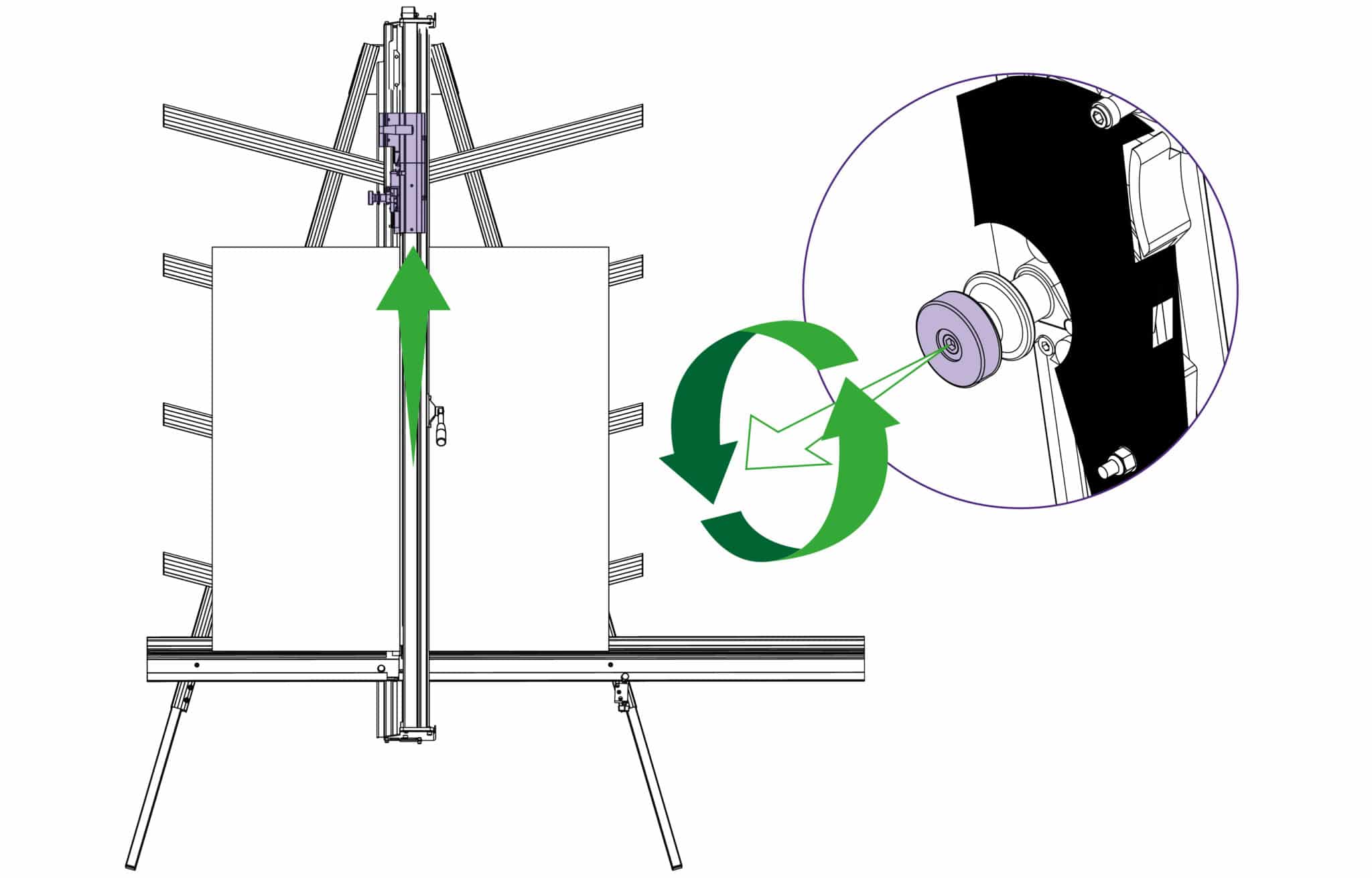
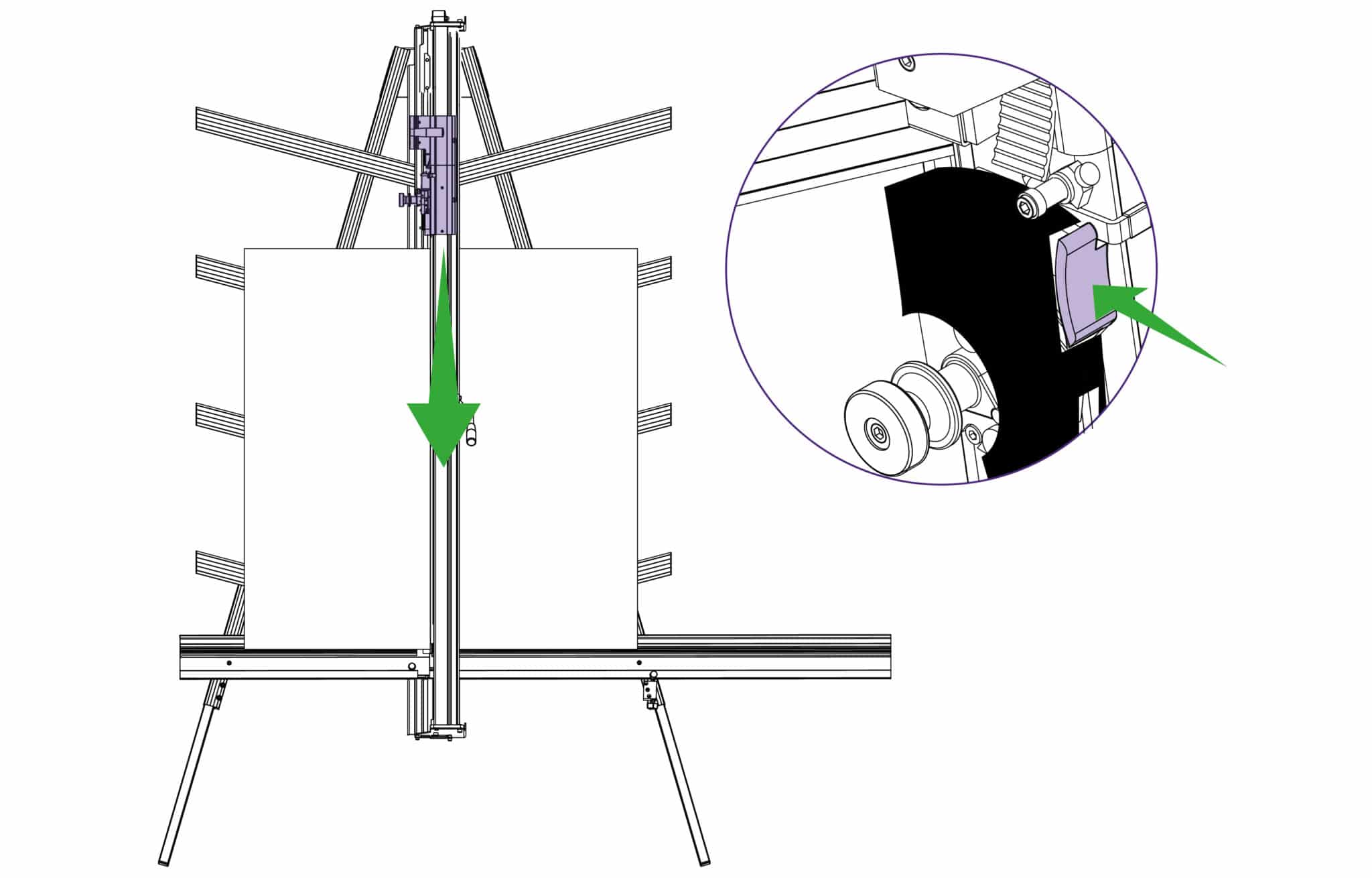
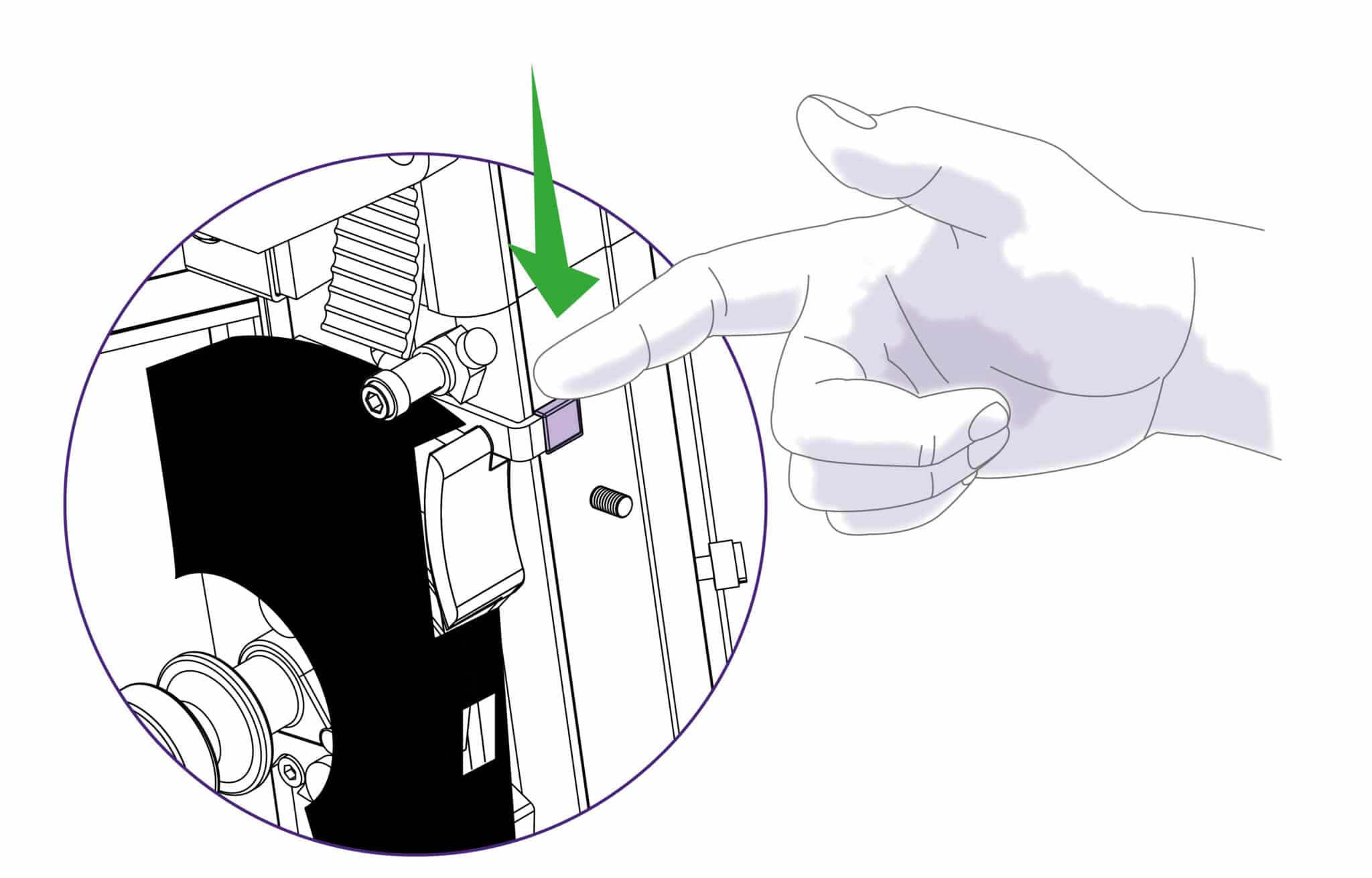
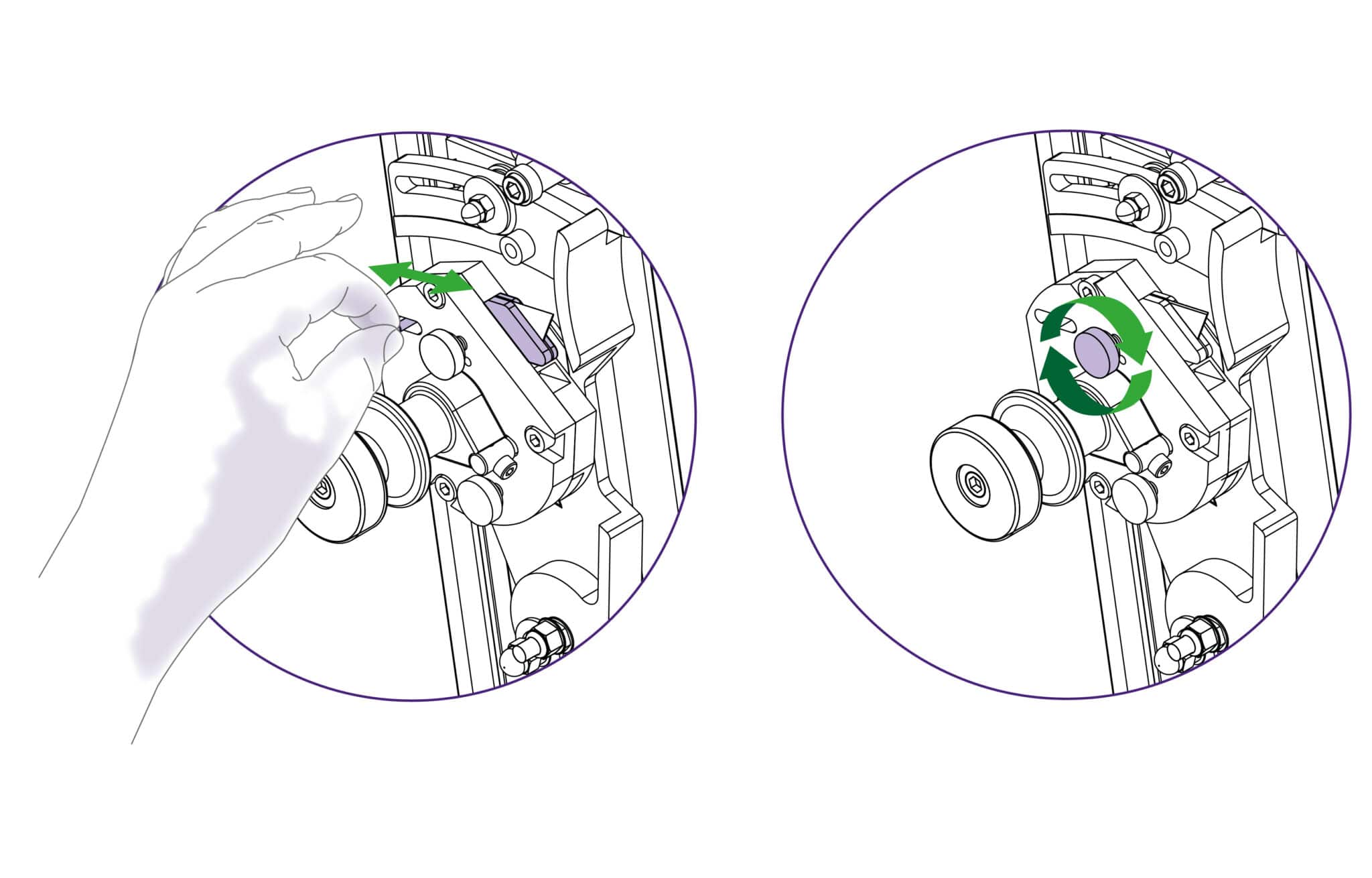
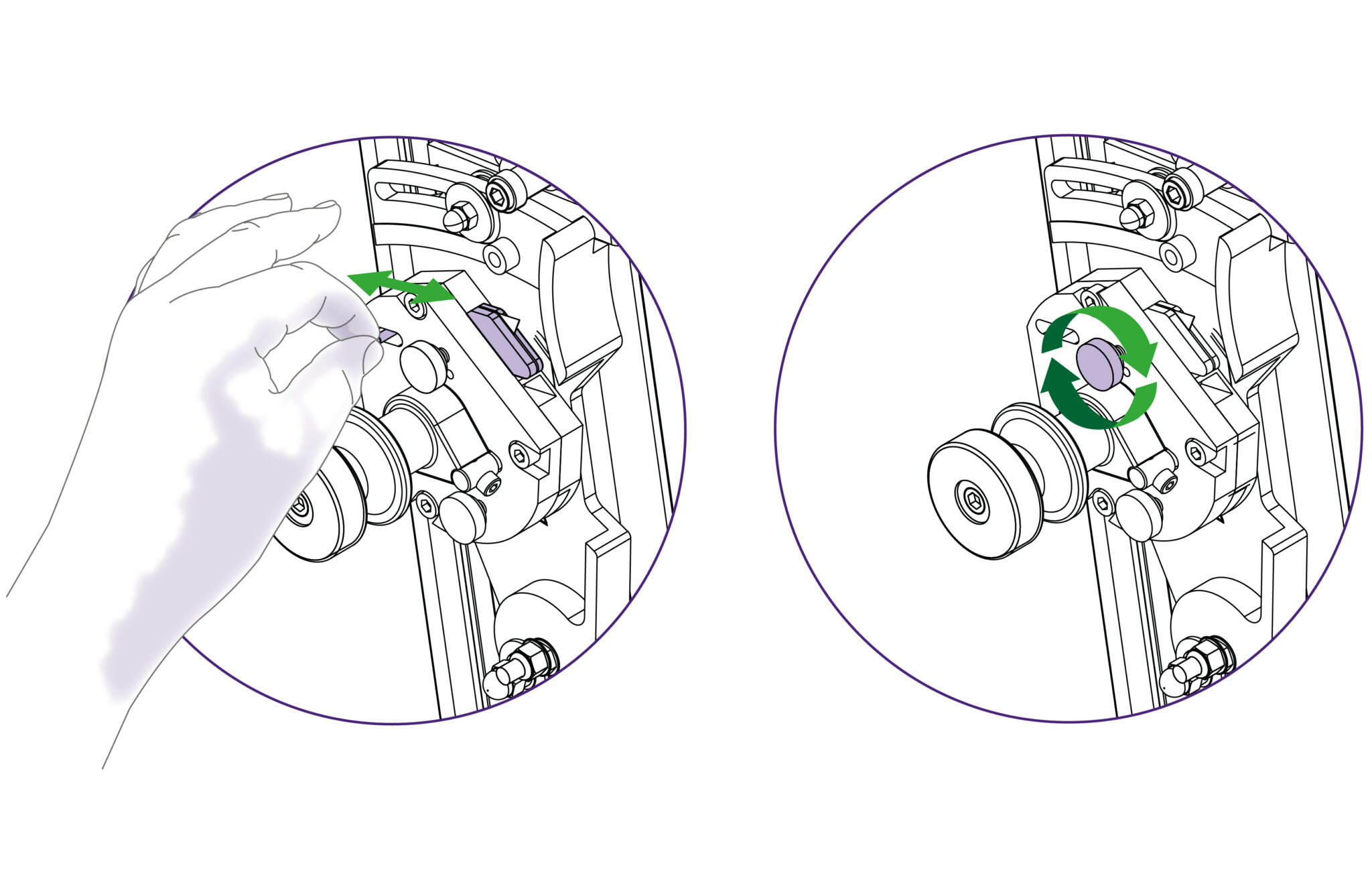
For cutting most materials the support plates can be set about 12mm (1/2”) from the blade tip
Change or turn over the blade, insert it back into the turret as far as it will go. Tighten the blade clamping screw, the safety pin will engage to hold the blade in position. At this point the position of the blade support plates can be adjusted to suit the thickness of material being cut, further tightening of the screw will clamp the blade in position.
Rotate the turret back to the cutting position. Replace the guard ensuring it is locked closed.
Replacement medium utility blades are available from Keencut or your distributor.
Replacement wheels or cutters are available from Keencut or your distributor
The clamping system enables the operator to control the grip pressure by means of an integral friction brake, that maintains the clamping force at the pressure applied by the operating lever. Soft materials can be held firmly without sustaining damage and solid materials are held rigidly without movement. By following the guidelines below it will help you to get the most from the machine.
Soft materials such as Foamcore boards, lightweight card, etc. Use light to medium pressure. The underside of the clamp grips an area nearly 4cm (11/2”) wide with a non-marking sponge rubber
and reasonable force can be applied. If in doubt clamp a sample first with the good surface facing outwards.
|
Do this gently |
The Excalibur 3S is fitted with two sliding carriages running on a vertical slideway and each carriage is fitted with a cutting head. The top carriage is fitted with a twin wheel cutter for use with rigid boards such as aluminium composite panels, MDF, hardboards. Refer to Changing the twin wheel cutter > or Using the twin wheel cutter > for more details. The lower or multi-tool cutter head has a rotating turret arrangement where either of the two cutting tools can be selected (the cutting blade or the scoring blade).
To select a different cutter pull the turret handle out to the left about 6mm (1/4”) and rotate in either direction, the turret will click into the correct position for the cutter indicated. Please note that there are three positions on the turret but only two positions are used on this version of the Excalibur.
The counterbalance can be attached to either cutting head for easy, fatigue free working. it is normally attached to the twin wheel cutter but to attach it to the multi-cutter head, lock the twin wheel carriage in place using the white plastic thumb screw. Raise the multi-cutter to engage the counterbalance rocker, press the lower head of the rocker to connect it to the carriage.
For cutting most materials the support plates can be set about 12mm (1/2”) from the blade tip
Change or turn over the blade, insert it back into the turret as far as it will go. Tighten the blade clamping screw, the safety pin will engage to hold the blade in position. At this point the position of the blade support plates can be adjusted to suit the thickness of material being cut, further tightening of the screw will clamp the blade in position.
Rotate the turret back to the cutting position. Replace the guard ensuring it is locked closed.
Replacement medium utility blades are available from Keencut or your distributor.
Replacement wheels or cutters are available from Keencut or your distributor

Ⓒ Keencut 2026 | Baird Rd, Corby NN17 5ZA United Kingdom | Contact us
Created by DeType | Privacy | Website Disclaimer | Terms & Conditions


